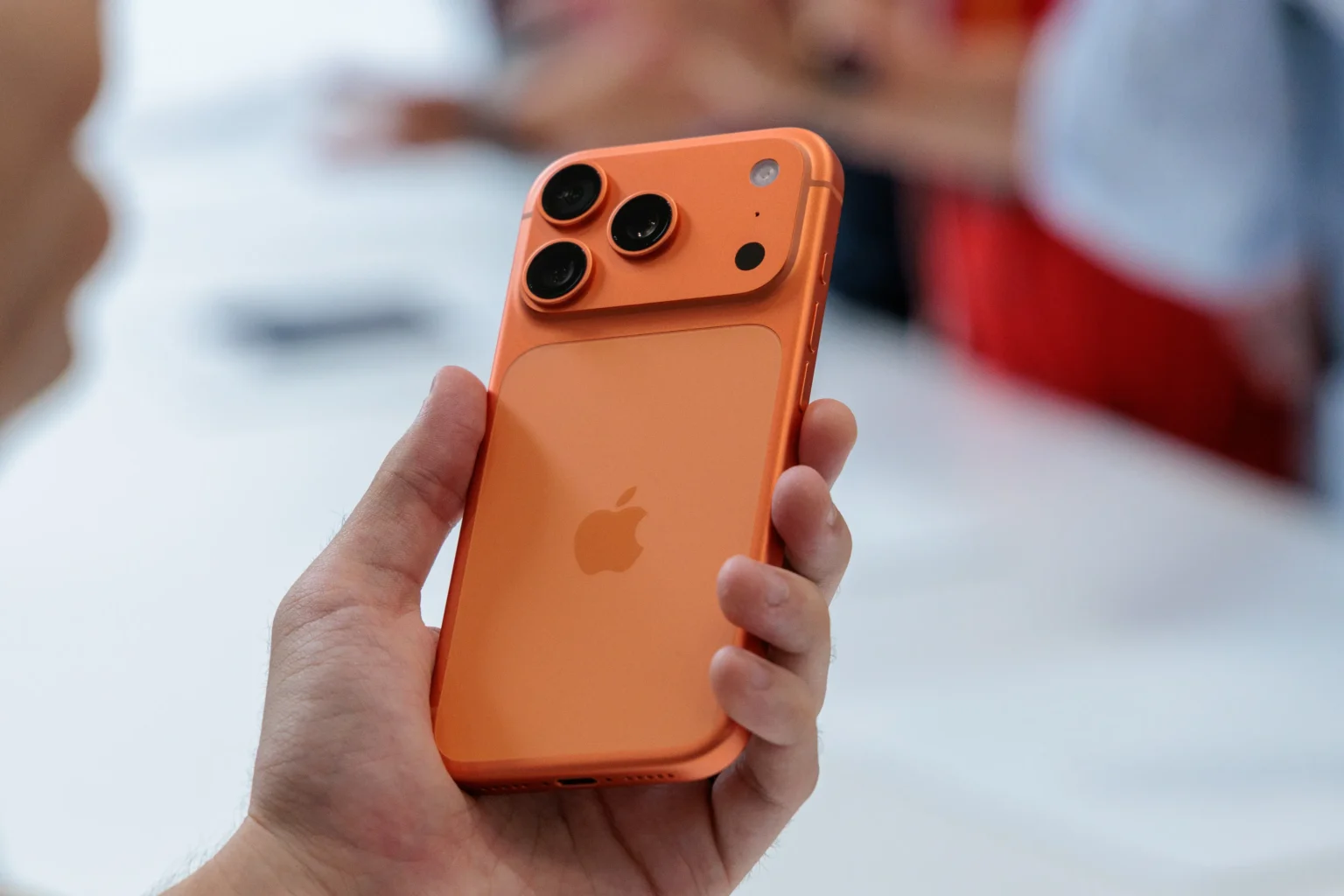

For the last thirteen years I have chased shots across mountains in Colorado and city streets in New York with iPhones in hand. From the iPhone 5 days when zoom meant blurry crops to now where optics deliver pro results I have learned what works in tough spots.
At TheInfolinks we share these practical tips to help you capture better moments without fancy gear. The iPhone 17 Pro launched last week and its zoom camera stands out with an upgraded 48MP telephoto that hits 8x optical quality zoom a step up from the 5x on the iPhone 16 Pro. This tetraprism design with a 56 percent larger sensor brings sharper details even at distance. Today I will walk you through five zoom camera tricks I tested on recent hikes and events. These draw from real use and Apples specs to make your photos pop without extra effort.
Trick One Steady Hands for Crisp Long Shots
Nothing ruins a zoom shot faster than shake especially at 8x where small wobbles show big. The iPhone 17 Pro fights this with 3D sensor shift optical image stabilization that keeps frames steady in low light or wind. In my Dolomites trip last week I aimed at distant peaks and held the phone one handed. The telephoto locked focus quick and OIS smoothed the view like a tripod.
To pull this off brace your elbows against your body or lean on a rock. Tap the screen to lock exposure and focus on your subject then swipe up for zoom levels from 4x to 8x. At 8x the f2.8 aperture pulls in more light than rivals like the Galaxy S25 Ultras f3.4 so night zooms stay bright. I caught a sunset climber clear at 200mm equivalent without noise. Pro tip use the new Camera Control button on the side for quick zoom access. A light press brings the dial and swipe sets 8x in seconds no fumbling in menus. This trick shines for wildlife or sports where you cant get close.
Trick Two Smart Composition with Mid Range Zoom
Zoom is not just about distance its about framing right. The iPhone 17 Pro fills the gap between main and telephoto lenses with a true 4x at 100mm that outputs full 48MP images. Gone are the heavy crops from the main sensor that softened edges on the iPhone 16 Pro. Now at 4x you get native sharpness for portraits or details like license plates from across a field.

In practice open the camera app and pinch to zoom or use the 1x 2x 4x 8x buttons at bottom. For composition tap the grid overlay in settings to follow rule of thirds then zoom to 4x and place your subject off center. I tried this at a concert zooming on performers mid stage and the larger sensor grabbed textures in outfits without blur. Enable Photographic Styles in the app for quick looks like vibrant or warm that adjust colors on the fly. At 4x pair it with portrait mode for creamy backgrounds that isolate subjects clean. This mid range sweet spot makes everyday scenes like kids playing soccer feel epic without post edits.
Trick Three Low Light Zoom Without the Blur
Evenings challenge most phones but the iPhone 17 Pros Photonic Engine uses machine learning to pull detail from shadows at any zoom. The updated demosaicing cuts noise and boosts color accuracy so 8x shots in dim bars or trails look natural not washed out.
To nail low light zoom switch to night mode auto or manual and hold steady for two to three seconds as the sensor stacks light. I tested at a twilight hike zooming on a deer at 6x and the f2.8 lens plus larger sensor captured fur details with true browns no green tint. Avoid flash at zoom it flares instead tap to focus on highlights like eyes. For video the 8x holds steady with action mode on keeping clips smooth as you pan. This trick saved my family dinner shots indoors where old phones turned to mush.
Trick Four Quick Access with Camera Control Button
Apples new Camera Control button changes how you zoom on the fly. Mounted on the right side it lets you adjust without flipping the phone. In landscape hold for photos or portrait for quick tweaks a boon for one handed use.
Press lightly to feel the haptic click and swipe the dial to 8x or anywhere in between up to 40x digital but stick to optical for best quality. Customize in settings to jump straight to telephoto. During a bike ride I pressed for 4x on a passing bird and snapped before it flew off. Pair with haptic zoom in accessibility for subtle feedback that feels like a real camera wheel. This speeds up street photography where seconds count.
Trick Five Advanced Edits with Pro Camera App
For deeper control the iPhone 17 Pro gets a dedicated Pro Camera app rivaling Halide for manual tweaks. It unlocks raw at all zoom levels so you adjust exposure shutter and ISO post shot without loss.
Download from App Store and select pro mode then zoom to 8x and dial in settings. I used it for astrophotography at 8x tweaking ISO to 800 for stars over mountains the tetraprism kept stars pinpoint. Export to Lightroom for curves that enhance without artifacts. At 4x shoot raw portraits and blend layers in Photos app for custom depth. This app turns zoom into creative tools not just point and shoot.
Why These Tricks Matter in Daily Use
These zoom camera tricks build on the iPhone 17 Pros hardware to fit real life. The 16x total optical quality range means less digital fuzz so your albums stay sharp year round. From hiking trails to kid recitals the larger sensor and OIS deliver confidence. In comparisons to the iPhone 16 Pro the 8x pulls ahead in reach without quality drop a fix for that awkward mid zoom gap.
Battery holds up too with efficient processing that lets you zoom all day on a charge. Privacy stays strong as most edits happen on device. If you chase events or nature these elevate your game without bulk.
Tips to Level Up Your Zoom Game
Beyond basics lock the screen orientation in control center for consistent framing at zoom. Use burst mode at 8x for action like birds in flight it stacks ten frames a second. Clean the lens before zooms smudges kill detail at distance. For groups tap the new Center Stage on front cam to auto zoom out but flip to rear tele for distant crowds.
Practice in varied light to learn the limits. The iPhone 17 Pro handles most but at 40x digital noise creeps in so crop in edits instead.